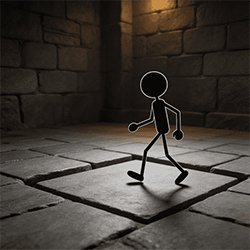
Prison Escape
Description
Prison Escape About This Game Prison Escape has a simple idea that becomes challenging once you start reading each level like a small logic map. The main challenge comes from reading a blocked route, making one careful cut, and seeing whether the stickman now has a safer way forward. It is not about rushing your finger across every dotted line. Better solutions often come from removing less paper than expected and keeping the right support in place. Prison Escape is a casual paper cutting and stickman escape game built around logic-based pathfinding. Your job is to cut yellow paper and create a safe route toward the EXIT on the right side of the stage. The stickman does not need the widest possible opening. He needs a connected path that stays stable from start to finish. Each cut changes the level. Removing yellow paper can open a useful passage, smooth a step, or connect two parts of the route. It can also break the ground the stickman needs to stand on. That is why the game is less about fast swiping and more about careful planning. Every level gives you a limited number of cuts, shown through the scissors at the bottom of the screen. This adds a light resource management layer: you need to decide which obstacles are worth cutting and which pieces of paper should stay in place. A strong route usually comes from three habits: protect the walking surface first, open the path second, and restart with a better plan when your first route clearly does not work. How to Play Start each level by observing the stickman, the yellow paper, the dotted cut lines, and the EXIT. The exit is usually the most important clue because it tells you which direction the final route must connect to. Swipe along a dotted line to cut the yellow paper. The removed section disappears and reveals the path underneath. The most useful cuts usually remove a real obstacle, smooth a step, or connect two parts of the route. A cut is less useful if it only clears extra space without helping the stickman move closer to EXIT. Do not cut away the area under the stickman unless you are sure the route will remain safe. In this kind of paper cutting puzzle, support matters as much as open space. A path that looks clear but has no stable walking surface can fail quickly. Watch the remaining cuts at the bottom of the interface. Since each level has limited cutting chances, avoid spending them on paper that does not affect the route. Resource management is part of the puzzle: the question is not “Can I cut this?” but “Does this cut solve the next real problem?” A simple beginner habit is to follow this order: 1. Find EXIT first. 2. Trace the safest possible route from the stickman to the exit. 3. Identify which yellow paper is actually blocking that route. 4. Cut only the blocking sections. 5. Keep enough support under the stickman and along the walking path. 6. Keep one cut available when the route ahead is still uncertain. 7. Use Restart if the route becomes broken, blocked, or impossible to repair. Route Check: Before cutting, scan the level in this order: EXIT → final approach → middle path → stickman’s starting point. This helps you avoid opening a path that looks good at first but fails near the end. If the stickman gets stuck, falls, or cannot reach EXIT, use Restart to reset the level. Treat Restart as a planning tool rather than a punishment. A failed attempt often shows exactly which piece of paper should have stayed in place. Beginner Strategy Guide The most useful beginner strategy is to plan from the EXIT backward. Instead of cutting the first dotted line you notice, look at where the stickman needs to end up. Then imagine the route in reverse: exit area, final approach, middle path, starting point. This makes it easier to see which paper truly blocks progress. Avoid large cuts at the start. Removing a big section may feel efficient, but it can create gaps, steep drops, or missing support. Smaller cuts are often safer because they let you adjust the route step by step. Focus on obstacles in front of the stickman or above the walking route before cutting the ground below him. Yellow paper under the character may be part of the support structure. If you remove it too early, the level can fail before the main route is even open. Before making a cut, ask three quick questions: does this remove a real obstacle, does it keep enough support under the stickman, and does it leave enough cuts for the next problem? If the answer is unclear, study the route again before swiping. Pro Tip: The cleanest solution is often not the biggest cut. In many layouts, a small cut that connects two surfaces is better than a large cut that creates empty space. For diagonal obstacles, think about building a gentle slope. A smoother angled route is usually easier for the stickman to cross than a sharp drop or broken platform. You do not need to remove every nearby piece of paper. You only need enough space for a stable path. For step-like barriers, divide the route into sections. First open the lower approach, then connect the middle platform, then clear the final path toward EXIT. This prevents the route from becoming disconnected halfway through. Here is a practical strategy matrix for common situations: Situation · Better First Move · What to Avoid Paper blocks the path directly ahead · Cut the blocking section while keeping the floor intact · Cutting the support under the stickman A diagonal wall blocks movement · Create a smooth slope or angled opening · Making a steep gap that breaks the route A tall step stops progress · Build a connected path in sections · Removing too much paper at once The route ahead is unclear · Save a cut and study the layout again · Spending every cut early The path is already broken · Use Restart and adjust the first cut · Forcing a route that cannot connect Some layouts can be understood as common puzzle patterns: Simple Drop: If the stickman needs to move from a higher surface to a lower path, do not remove all the paper between them. Cut only enough to open the landing area while keeping a surface that prevents an unsafe fall. Zig-Zag Route: If the path changes direction more than once, solve one turn at a time. Open the first turn, check whether the middle path stays connected, then use the next cut for the final approach. Scissors Trap: If several dotted lines look tempting, pause before cutting. The trap is spending all cuts on visible paper while leaving the final obstacle untouched. In uncertain layouts, keep one cut available until the route to EXIT is clear. One helpful way to improve is to think in smaller route decisions. Instead of thinking “remove this whole area,” think “remove only the part that blocks movement.” That mindset protects support and reduces wasted cuts. Your first goal should be simple: help the stickman reach EXIT safely. After you understand how the paper, support, and route connection work, you can start looking for cleaner solutions with fewer unnecessary cuts. Common Mistakes • Cutting away too much yellow paper: Removing extra paper can destroy support and make the route unsafe. Cut only what blocks progress. • Opening space without preserving a path: A wide empty area is not helpful if the stickman has no connected surface to walk on. • Following every dotted line automatically: Dotted lines show possible cuts, not required cuts. Judge whether each section actually affects the route. • Ignoring the EXIT position: Cutting before checking the exit can send your plan in the wrong direction and waste limited cuts. • Using all cuts too early: If the route ahead is still uncertain, save a cut for the next obstacle instead of clearing minor details. • Removing support under the stickman first: Cutting below the character too soon can break the level before the main puzzle begins. • Forcing a clearly failed route: If the path is blocked, broken, or impossible to repair with the cuts left, use Restart and rebuild the plan. • Reading the virtual theme too literally: Prison Escape is only a paper cutting stickman puzzle game. Its prison setting, scissors, rewards, paths, Restart button, and EXIT are in-game mechanics, not real-world escape advice, tool guidance, gambling content, or cash-value rewards. FAQ How do I decide which yellow paper to cut first? Start with the paper that directly blocks the safest route to EXIT. If a section does not stop the stickman from moving forward, leave it alone until you know it matters. Should I plan from the stickman or from EXIT? Planning from EXIT backward is usually safer. It helps you understand where the final route must connect before you spend cuts near the starting point. Do scissors refill over time? The provided gameplay information only confirms that the scissors at the bottom show the remaining cuts for the current level. Treat them as limited resources and plan each cut carefully instead of assuming they will refill. How should I handle moving platforms in later stages? If your version includes moving platforms or shifting support areas, wait to read their movement before cutting nearby paper. The safest cut is one that keeps the route connected when the platform is in a usable position. Why does the stickman fall after I open the path? This usually happens when too much support has been removed. A route needs both open space and stable ground, so avoid cutting away the paper directly under the stickman unless the next surface is clearly safe. What should I do with diagonal obstacles? Try to create a gentle slope or angled opening instead of a sharp drop. A smoother route gives the stickman a better chance to continue toward EXIT without getting stuck. When should I use Restart? Use Restart when you cut the wrong section, remove necessary support, run out of useful cuts, or create a route that no longer connects to EXIT. Restarting helps you replan with a cleaner cutting order. Is Prison Escape a real escape guide or gambling game? No. Prison Escape is a virtual paper cutting stickman puzzle. Its prison theme, scissors, rewards, Restart button, and EXIT are gameplay mechanics only, not real-world escape instructions, tool guidance, betting content, or cash-value rewards.